Releases Upgrades
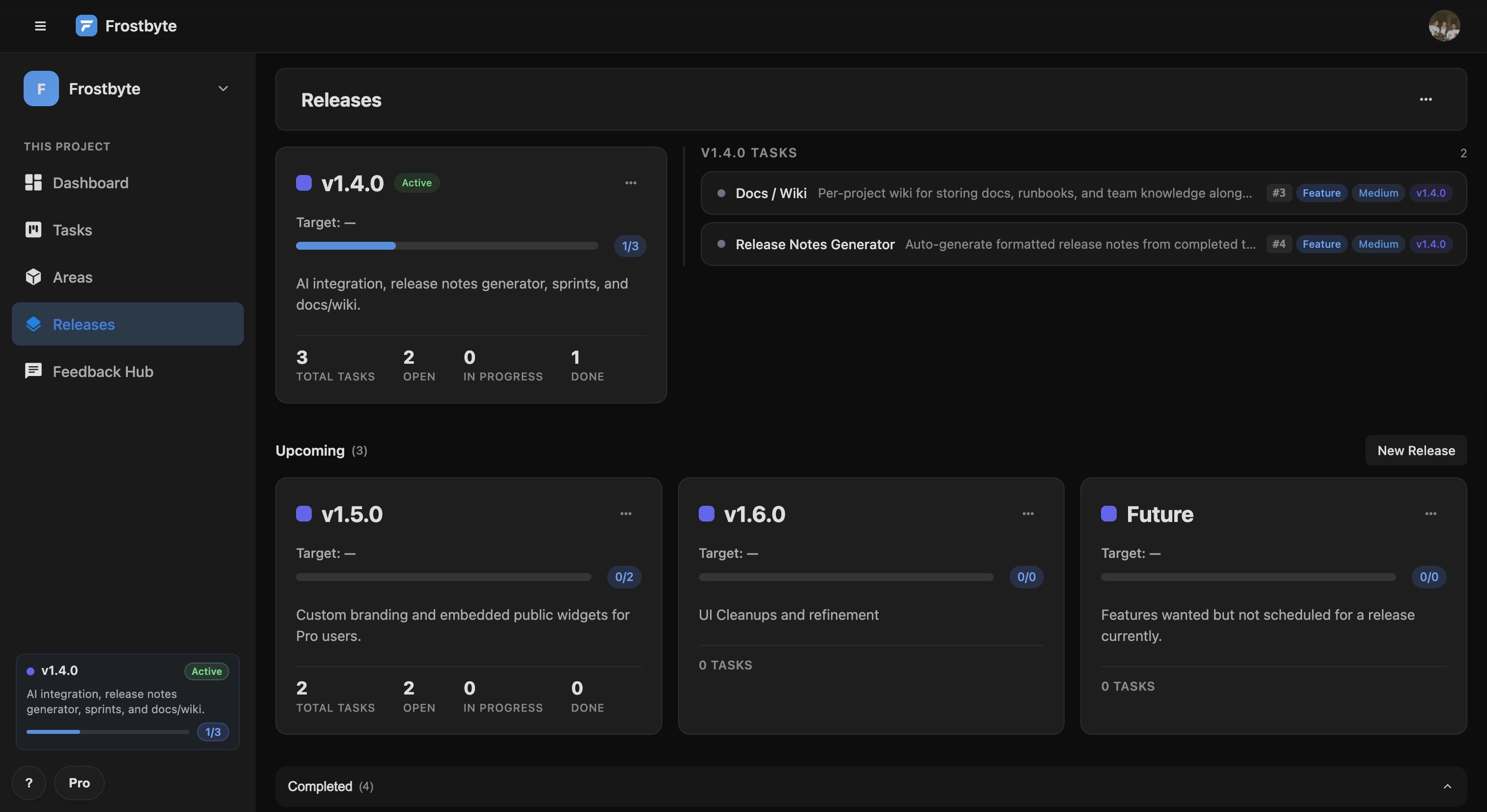
The Releases page now opens with your active release next to its in-progress and open tasks, in priority order. You can see what's left to ship without opening each one.
Each release card has a ⋯ menu to edit it, set it as active or delete it without leaving the page. Setting a new release as active demotes the previous one for everyone in the project straight away.
A list view for tasks
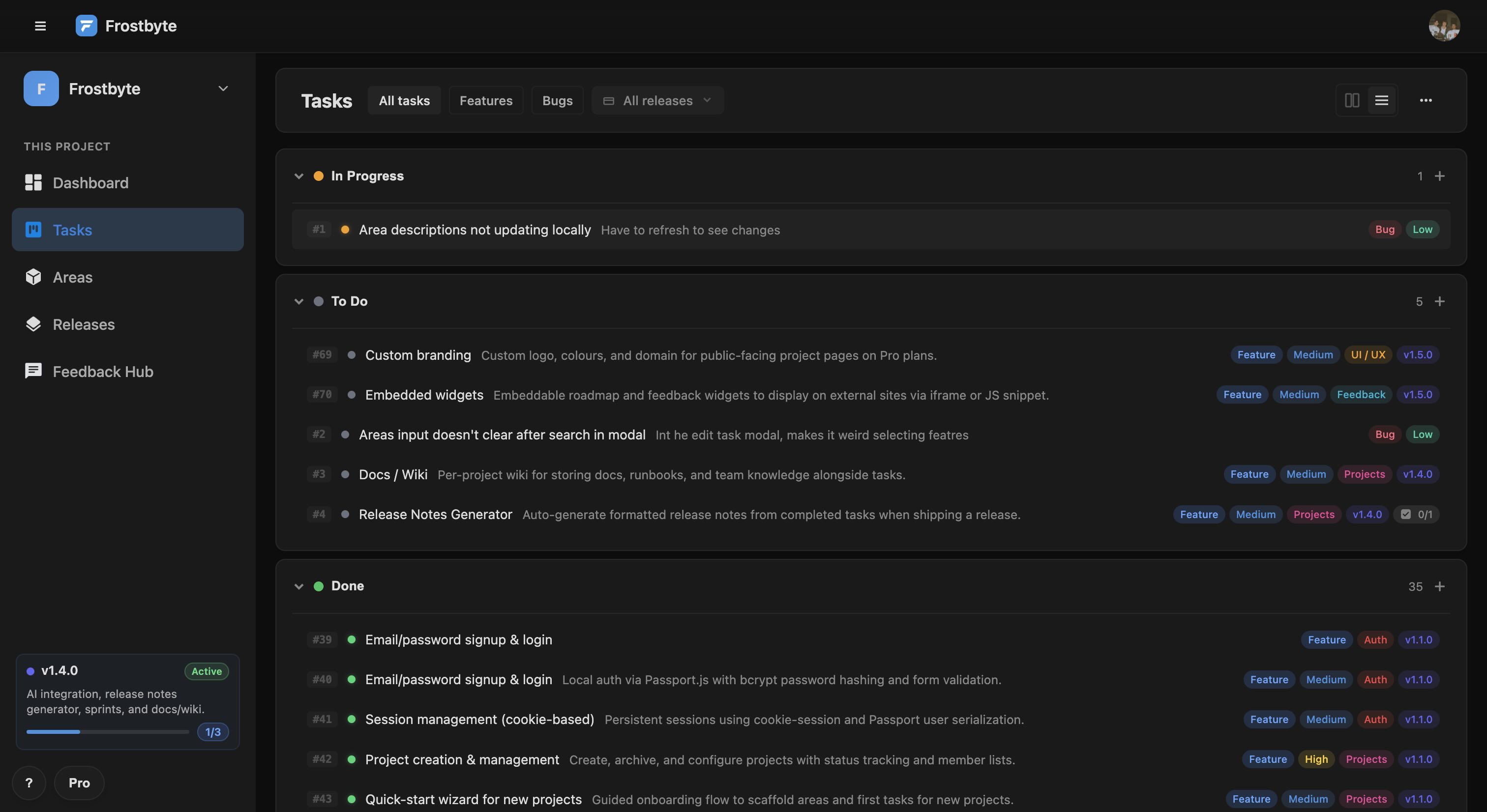
The Tasks page has a new list view. Switch between board and list from the toolbar, and it remembers your choice. Both views have collapsible sections, so you can fold away any status you're not working on.
Each section has a + button that adds a task with that status. The count in each section header updates as cards move.
Active release in the sidebar
The project sidebar now shows your active release with its name, target date and a progress bar that updates as tasks complete.
New features 5
- Active release at the top of the Releases page, with its top in-progress and open tasks Releases
- List view for tasks that stays selected between sessions Tasks
- Active release in the sidebar with its target date and a live progress bar Sidebar
- Edit, Set as active and Delete menu on release cards Releases
- A + button on each section to add a task with that status Tasks
Improvements 4
- Collapsible status sections on Tasks Tasks
- Task counts in section headers, updated in realtime Tasks
- Target date badges show overdue in red, due today in amber and upcoming in the default colour Releases
- Task number badges (#123) on board and dashboard cards Tasks
Bug fixes 4
- A newly active release demotes the old one in every open session Releases
- The sidebar widget refreshes when tasks and releases change Sidebar
- Area description changes show on task cards without a page reload Areas
- Active release names are escaped so they display correctly Releases