Frostbyte Agent
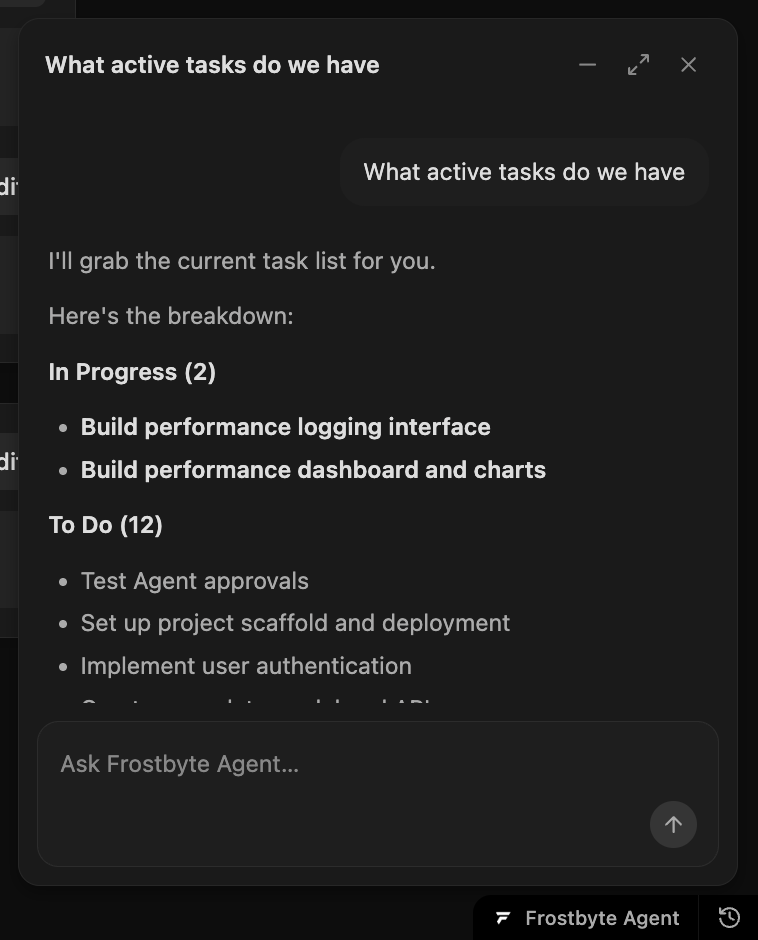
Every project page has a Frostbyte Agent button in the bottom corner. Open it and ask what's active, what's blocked or what to ship next. It answers from your project's tasks, areas and releases, and it can change them for you.
Replies stream in as it works. Minimise the panel and the conversation stays, close it and the conversation clears. Past chats are in the history menu, where you can reopen or delete them.
The agent runs on AI credits, which now go by usage instead of a fixed cost per action. A bigger job costs more than a small one. Your monthly usage and reset date are in Settings.
You approve anything destructive
Routine changes, like creating a task, moving a status or drafting a release, apply as you watch. Anything destructive, like deleting work, waits until you approve it.
A Product page for what the agent should know
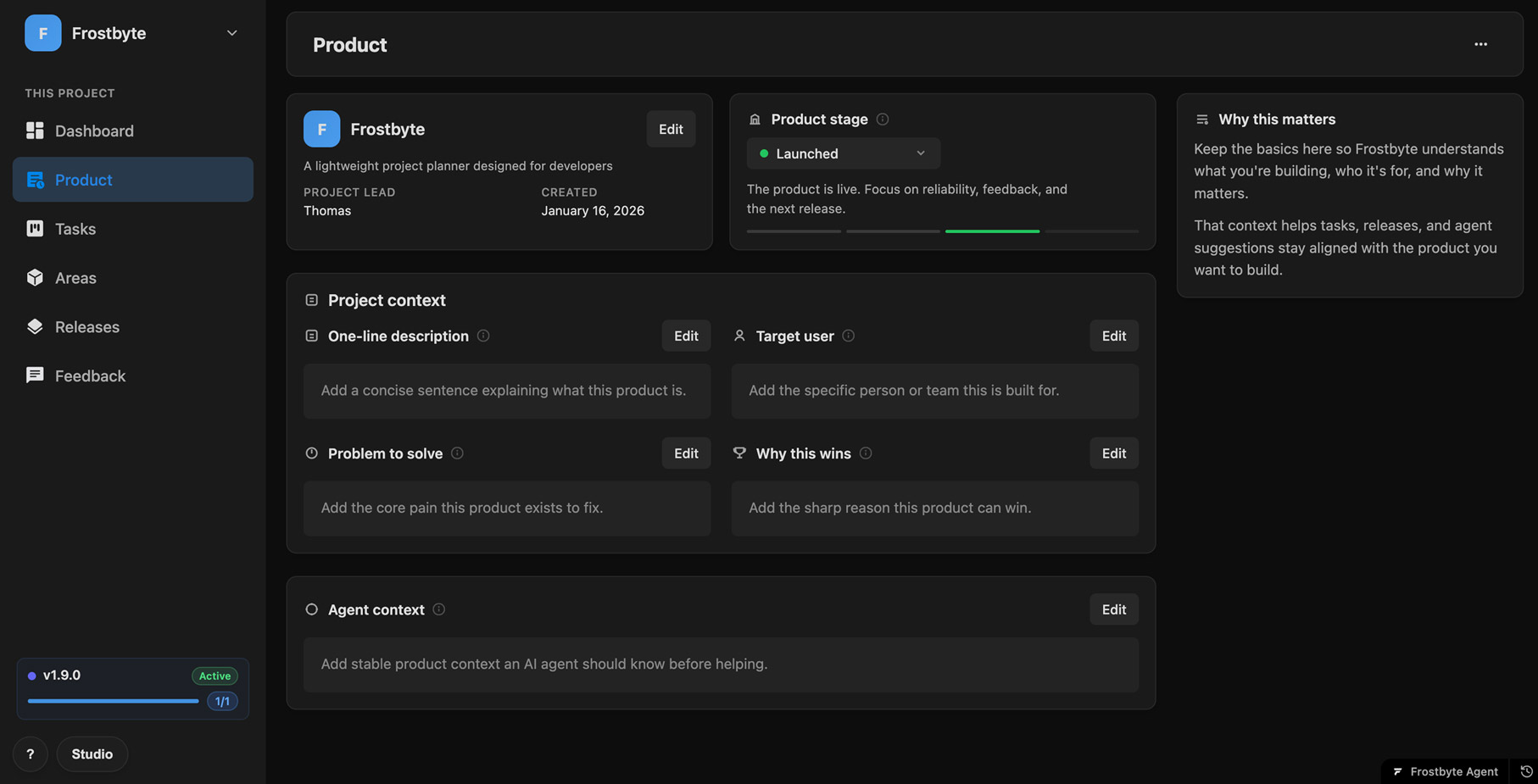
The new Product page holds your product stage, One-line description, Target user, Problem to solve and Why this wins. Agent context is a free-form field for anything else an agent should know.
The agent reads this page before it helps, so the tasks and releases it suggests fit your product.
New projects start with guided tasks
New projects open with a short set of tasks: Enter product context, Create your areas, Plan your first release and Connect your coding agent, which covers Claude Code and Codex. You can hand each one to the agent if you'd rather not do it yourself.
These replace the setup checklist and the auto project setup from v1.7.0.
New features 9
- Frostbyte Agent on every project page, reading and changing tasks, areas and releases Agent
- Routine changes apply straight away, destructive ones wait for your approval Agent
- Chat history you can reopen and delete Agent
- Quick-action prompts for common requests Agent
- Product page with stage, one-line description, target user, problem and why this wins Product
- Agent context field the agent reads before it helps Product
- Guided tasks for new projects, each with a handoff to the agent Onboarding
- Connect your coding agent task with Claude Code and Codex setup Onboarding
- AI credits based on usage instead of a fixed cost per action AI Credits
Improvements 5
- AI usage and reset date in Settings AI Credits
- Agent replies stream in, minimise keeps the conversation and close clears it Agent
- One set of product stages across the app Product
- Agent context on tasks is now called Implementation notes Tasks
- Guided tasks replace the setup checklist and auto project setup Onboarding
Bug fixes 4
- The agent stays in the project you have open Agent
- Markdown renders properly while a reply streams Agent
- AI credits reset reliably each month Billing
- Stopping a reply, approving a change and reopening a chat work reliably Agent