Multi-select and Filters
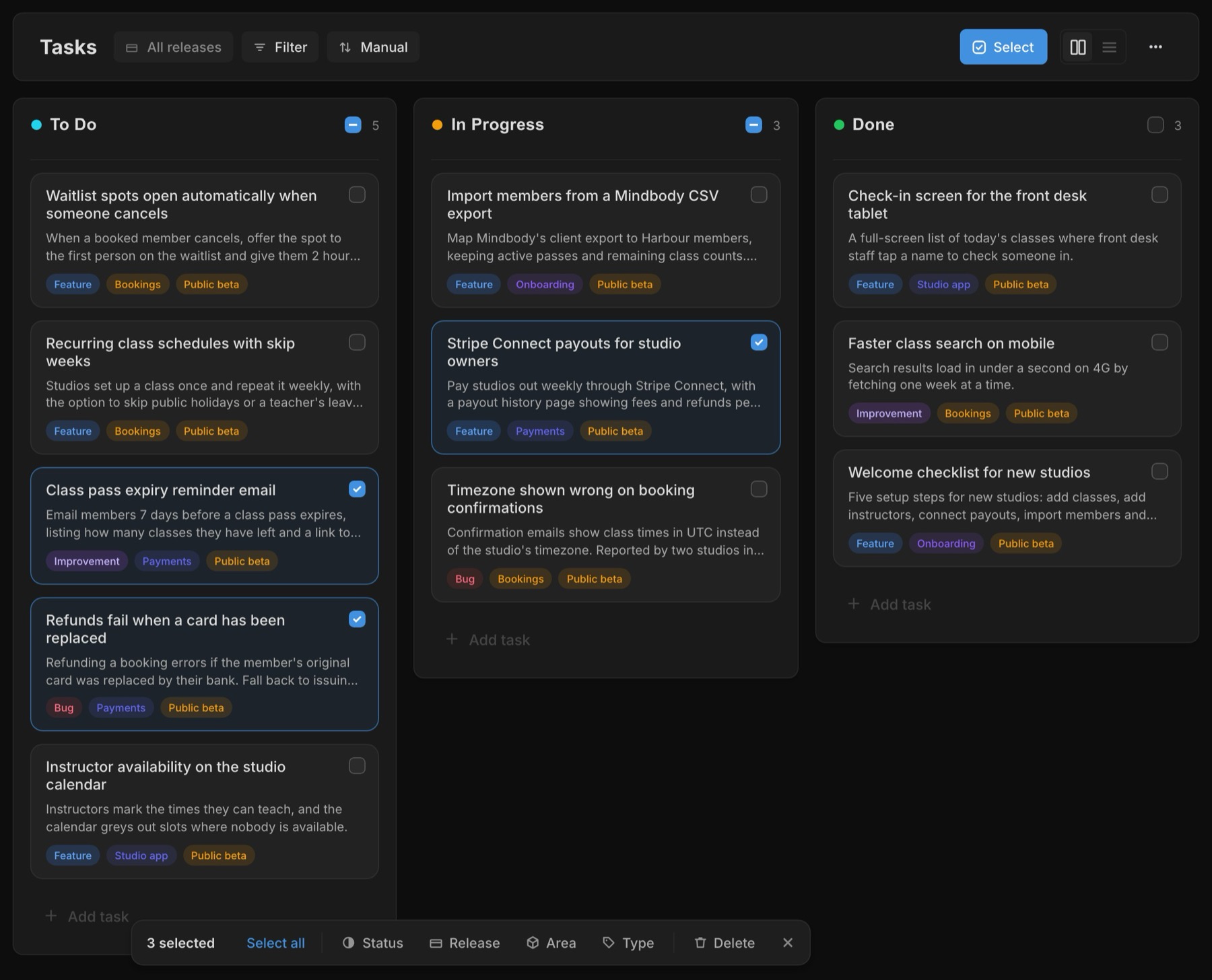
Press Select on the Tasks board, or Cmd/Ctrl-click a card, and clicking picks tasks instead of opening them. Shift-click selects a range, and on a phone or tablet a long press starts a selection.
A bar shows how many you've picked and lets you move them all to a new status, release, area or type, or delete them, up to 200 tasks at a time. You can also drag any selected card into another lane and the rest of the selection goes with it.
The Tasks header has a Filter menu for type and area, and you can pick more than one of each. Sort sets the order: Manual keeps your drag order, Last edited puts recently changed tasks first, and Newest puts the latest additions on top. A task you create while filtered picks up that type or area, so it doesn't vanish from view the moment you save it.
User Signals is now optional
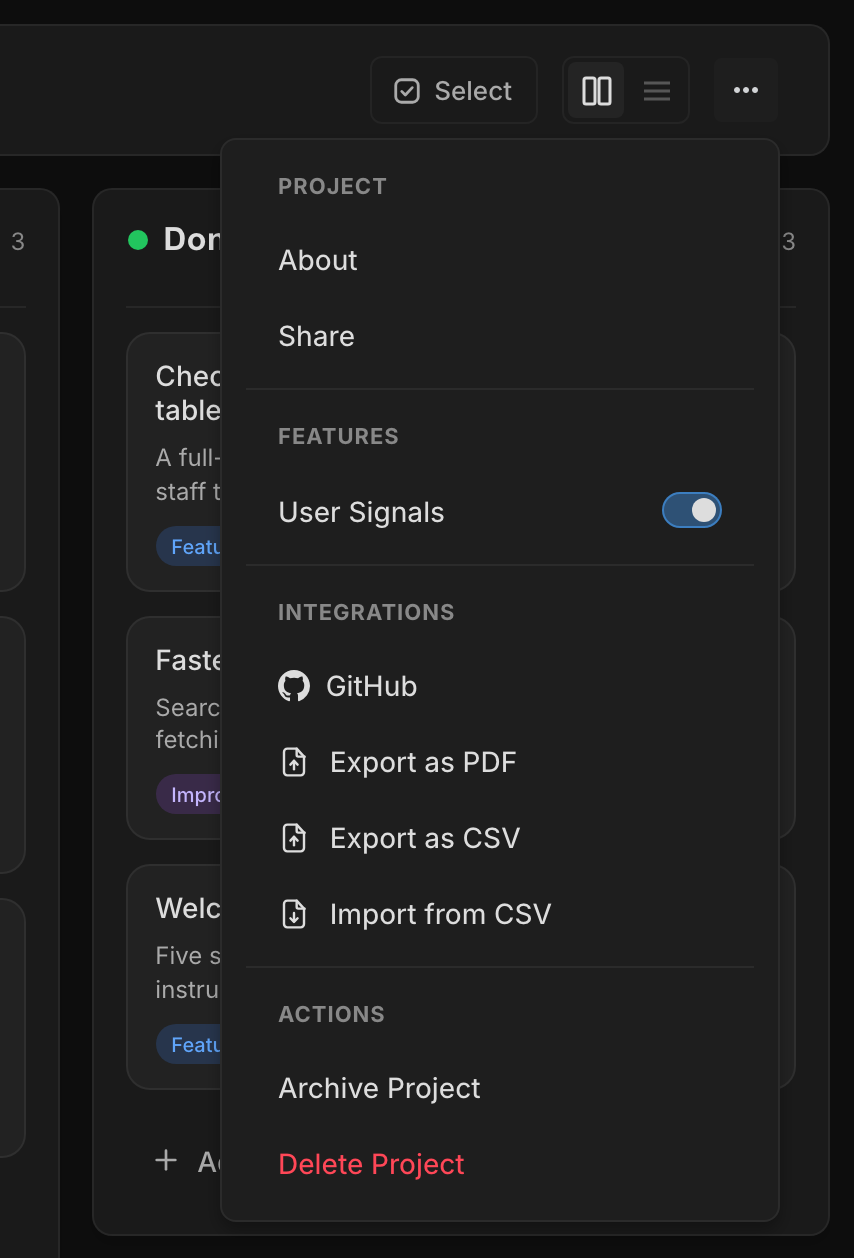
Not every project needs a feedback queue on day one. Project owners can switch User Signals off under Features in the project ⋯ menu. While it's off, Signals disappears from the sidebar, the dashboard and your tasks, your public portal shows "Feedback paused" on the same URL, feedback-shipped emails stop, and the MCP tools and in-app Agent decline Signals requests.
Nothing is deleted. Switch it back on and your signals, votes and portal are as you left them. New projects at the Idea stage start with it off, and once a project moves past Idea the dashboard offers to turn it on with one click.
A tidier task modal
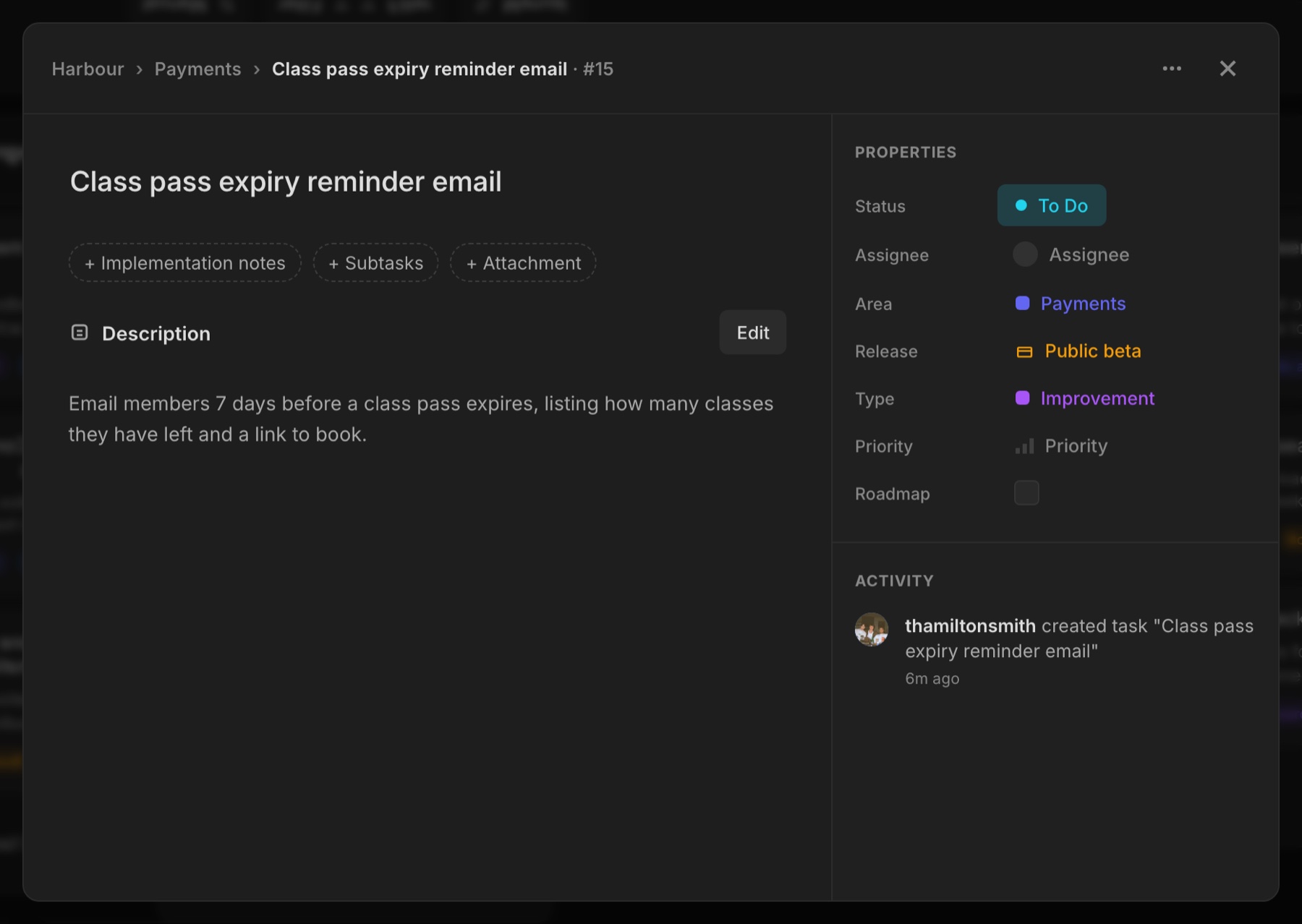
Empty Implementation notes, Subtasks and Attachments sections no longer take up room on every task. They fold into small chips under the title. Click one and the section opens ready to type or pick a file, and if you back out without adding anything it folds away again.
You can drag files straight onto an open task to attach them. Drop them on the New task modal and they upload as soon as the task is created.
New features 7
- Select several tasks with the Select button, Cmd/Ctrl-click, Shift-click for a range, or a long press on touch Tasks
- Bulk bar to change status, release, area or type, or delete, for up to 200 tasks at once Tasks
- Drag a selection into another lane to move every selected task Tasks
- Filter tasks by type and area, with more than one of each Tasks
- Sort tasks by Manual, Last edited or Newest Tasks
- Switch User Signals off or on per project under Features in the ⋯ menu Signals
- Drag and drop files onto a task or the New task modal to attach them Tasks
Improvements 7
- Empty notes, subtasks and attachments fold into chips under the task title Tasks
- New tasks pick up the type or area you're filtered to Tasks
- New Idea-stage projects start with User Signals off, and the dashboard offers to turn it on once you move past Idea Signals
- Invite link and Copy share one row in the Share popover, and Revoke asks first Projects
- Clicking implementation notes opens the editor, like the description Tasks
- Longer names: tasks up to 100 characters, areas 30 and releases 40 Projects
- The project Visibility setting is gone. It never restricted access, and projects stay private to their members Projects
Bug fixes 2
- The invite link now shows when you open a project from a task, area or release link Projects
- A member removed from a project is taken out of it straight away Projects