Session Handoffs and a New Agent
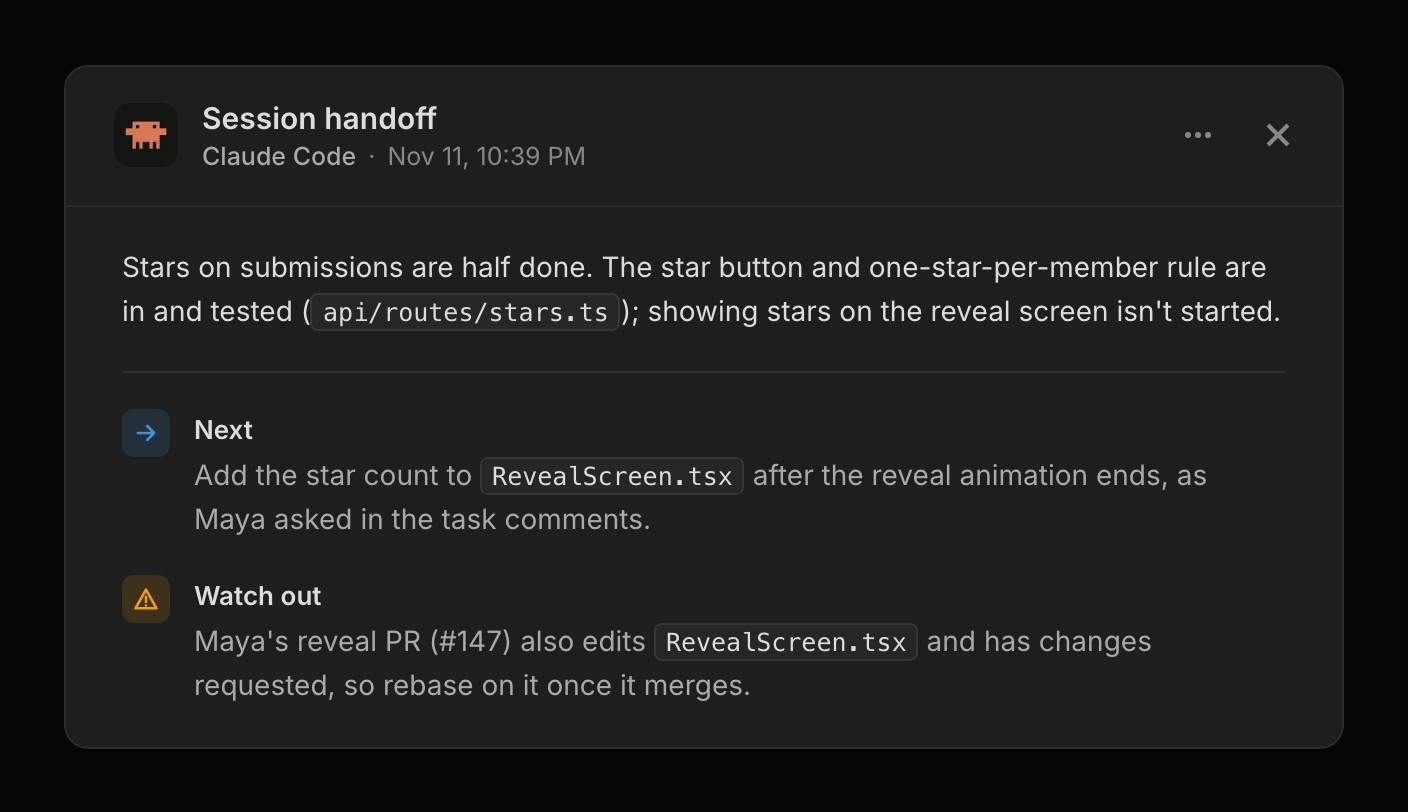
Your connected agent can leave a session handoff when you finish for the day, and it writes one itself when it stops with work unfinished. A handoff says what got done, what to do next and what to watch out for. The newest one pins to the top of Recent Activity on the dashboard for 7 days, and choosing it opens the whole thing.
The next session gets the handoff back with its first read of the project, so there's nothing to paste in. Frostbyte keeps the last three, so two agents working side by side don't overwrite each other, and the older ones open from Recent Activity.
For things that aren't tasks, such as how the app is put together, agents keep up to five notes under Context on the Product page. Any connected agent can look them up when it needs that background, and add to them as it learns more. Notes and handoffs are read-only in Frostbyte, any member can delete one, and they work on every plan.
A redesigned Frostbyte Agent
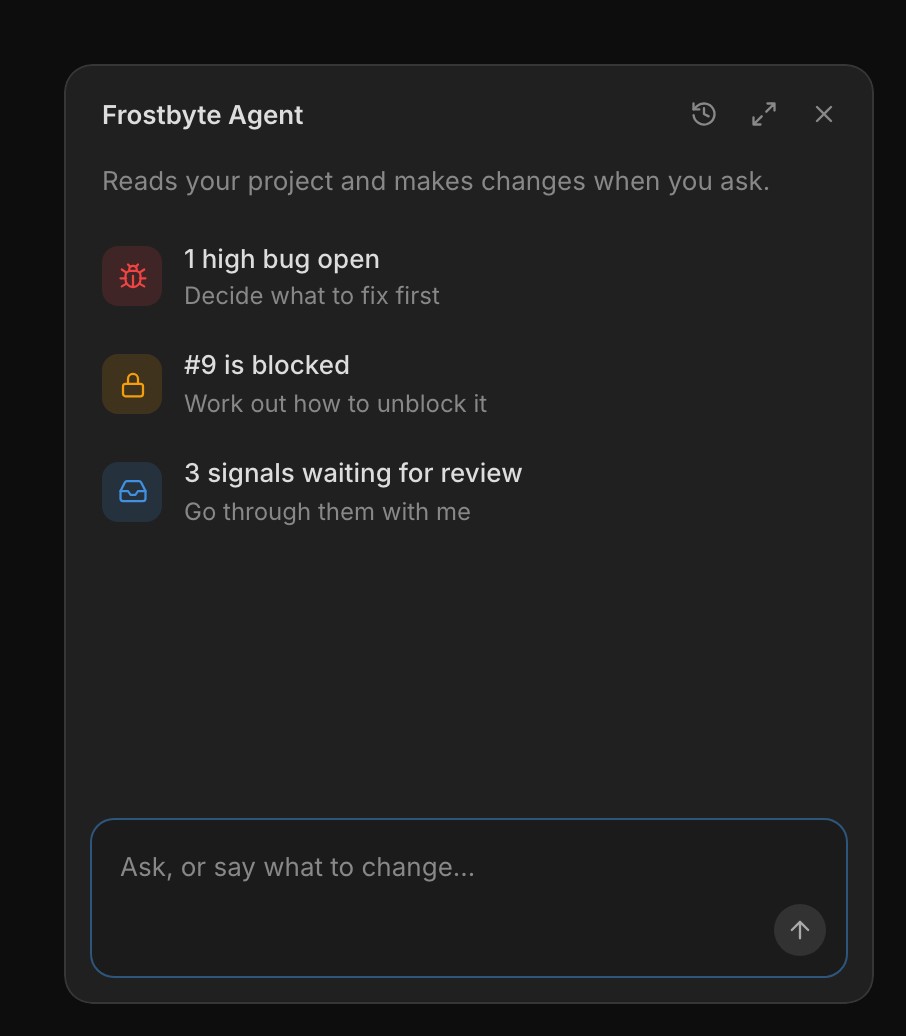
The Agent has a new look. Open it from the Agent button at the bottom right of any project page, or press ⌘J (Ctrl J on Windows and Linux). The panel grows out of the button and folds back into it, and closing it keeps your conversation. History and New chat sit in its header.
Before you type, it lists up to three things in the project that need a decision, most pressing first, such as an urgent bug, a blocked task or signals waiting for review. Select one and the Agent starts on it. The suggestions themselves don't use AI credits.
Area cards show the open work in each part of the product, what's blocked and who's on it, with the most recently active areas first. Choose Write description from a card's ⋯ menu and the Agent writes the area's description for you.
Moving from another tool is easier
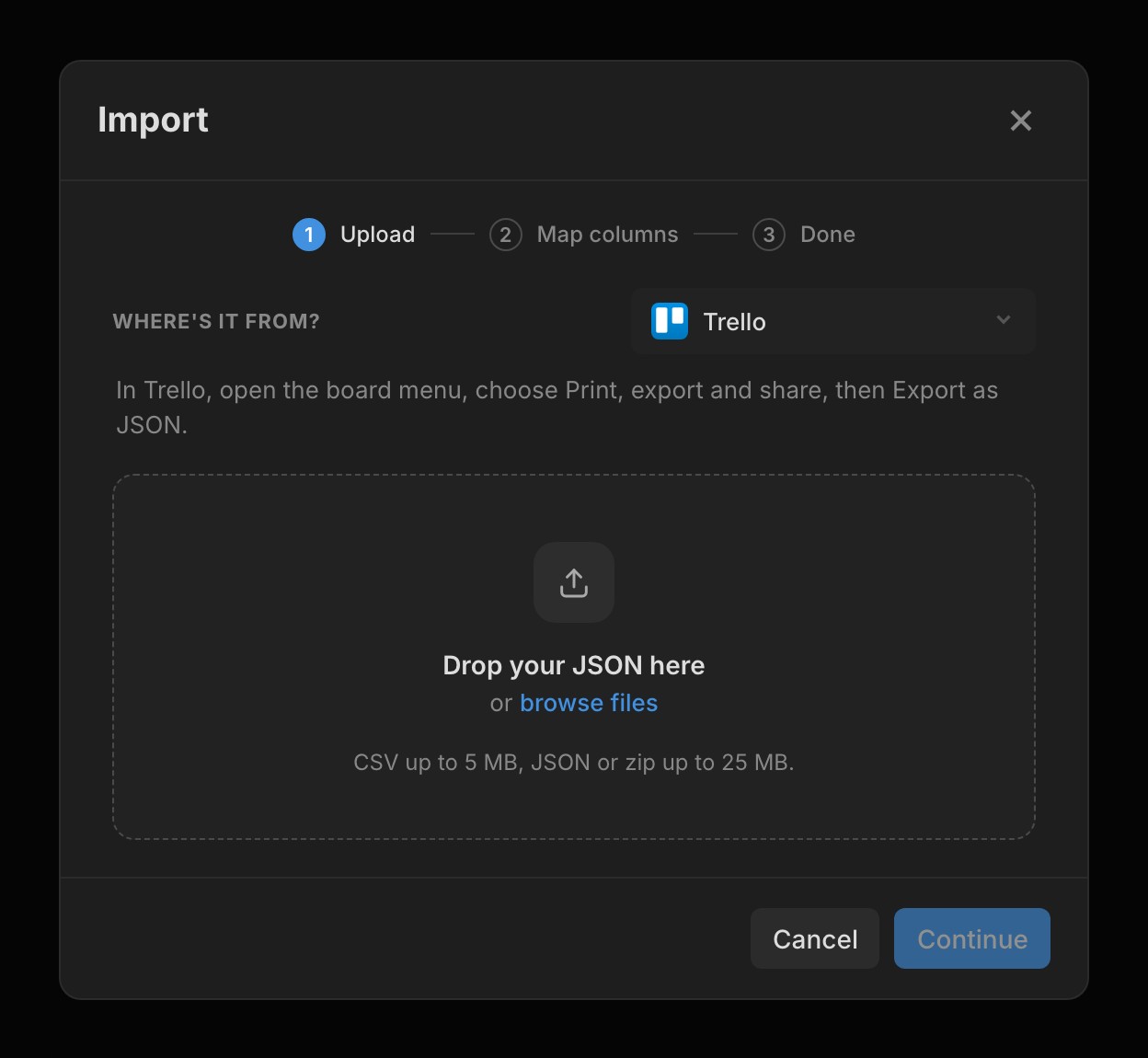
Import reads exports from Linear, Jira, Asana, Notion, Trello, ClickUp and GitHub for tasks, and from Canny and Featurebase for feedback. Open the project's ⋯ menu, choose Import, and pick where the file's from to see how to export it from that tool. Frostbyte matches each column to a field and each status to what it meant there, and you can change any of them before you import.
Import as Tasks, Signals, or Signals and tasks. Releases and areas come across where the tool has them, such as Linear's cycles and projects. Imported signals stay off your Feedback Portal unless you tick Show them on your feedback portal, and only the project owner sees requester names and emails. Only the owner can import, and every task it creates counts towards your plan's limits.
Pull requests move your tasks
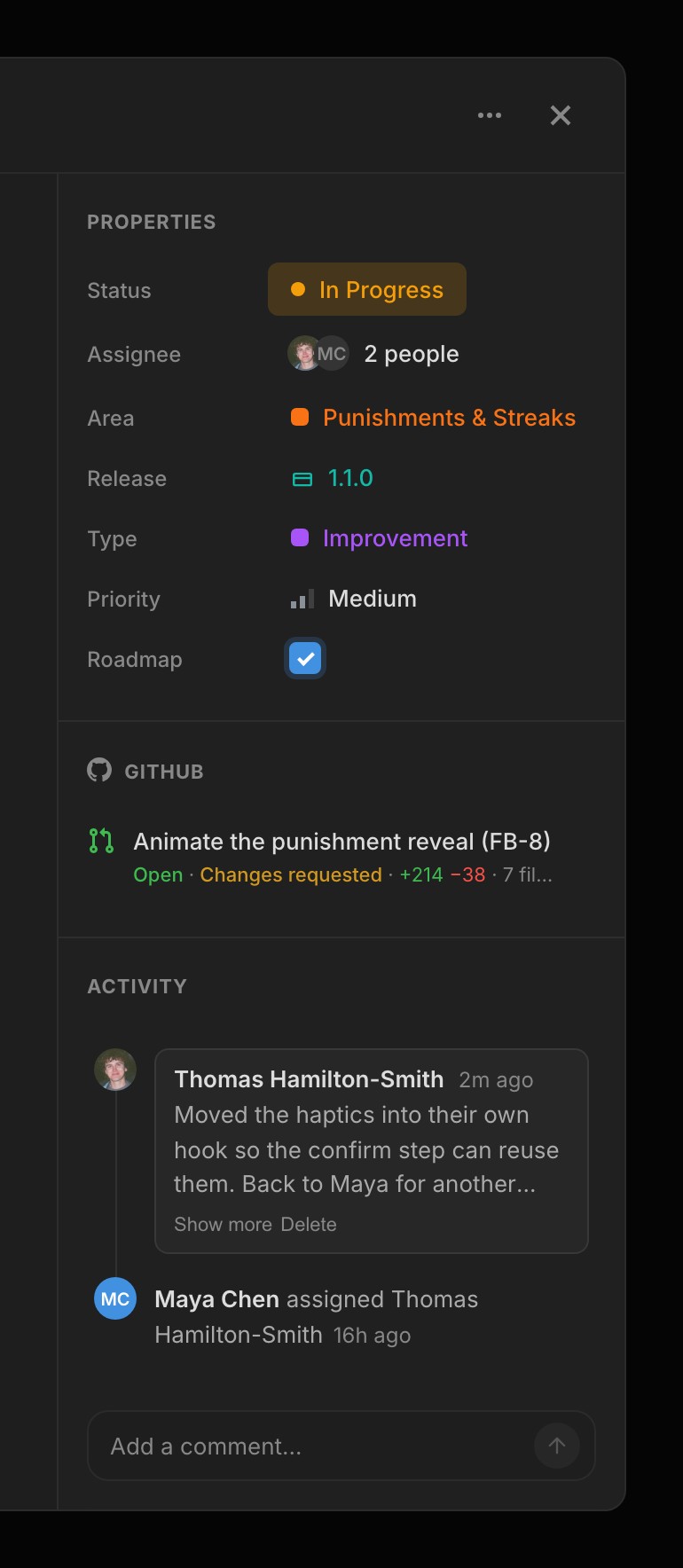
Write FB- and the task number in a commit or pull request, such as Fixes FB-13, or name the branch after the task, and it links to that task. Turn on Move tasks with pull requests under GitHub in Project settings, and opening a pull request moves its task to In Progress. Merging one that closes the task into your default branch moves it to Done.
The task's GitHub section shows each pull request's lines added and removed, how many files it touches and, while it's open, whether it's approved. When a reviewer asks for changes, the card turns orange with Changes requested. Reviews don't move the task.
New features 12
- Session handoffs pinned to Recent Activity, with the last three kept Agent
- Up to five agent notes under Context on the Product page Agent
- The session_end, list_notes, get_note and write_note tools MCP
- Import tasks from Linear, Jira, Asana, Notion, Trello, ClickUp and GitHub Projects
- Import feedback from Canny and Featurebase as signals Signals
- FB- references link commits, branches and pull requests to tasks GitHub
- Move tasks with pull requests, to In Progress and then Done GitHub
- A redesigned Agent panel with suggested actions Agent
- Write description in an area card's ⋯ menu Areas
- The Agent links GitHub pull requests, issues and commits to tasks GitHub
- Grok connects to Frostbyte as a custom connector Agent
- A What's new card in the sidebar Navigation
Improvements 13
- Linked pull requests show lines changed, files touched and review state GitHub
- Changes requested shows on the task card GitHub
- Area cards show open work, blockers and who's on it, busiest first Areas
- ⌘J opens and closes the Agent Agent
- A compose button in the sidebar, and C opens New task Navigation
- A task's activity reads as a timeline Tasks
- Signal attachments show like task attachments Signals
- Connections has separate cards for agents and GitHub Settings
- Search engines index each Feedback Portal once, from its sitemap Feedback Portal
- Each changelog entry has its own page Navigation
- Dialogs ease open and fade out Navigation
- Opening sign in or sign up while signed in takes you to your projects Auth
- A sign-in error puts your cursor in the field to fix Auth
Bug fixes 5
- The homepage opens while you're signed in Navigation
- The Claude Desktop plugin setup steps work as written Agent
- Project settings loads with a skeleton that matches the page Settings
- #13 in a commit only reaches the task synced to issue 13 GitHub
- Google indexes Feedback Portals on their own domain Feedback Portal