Project Health, What's Next and Changelogs
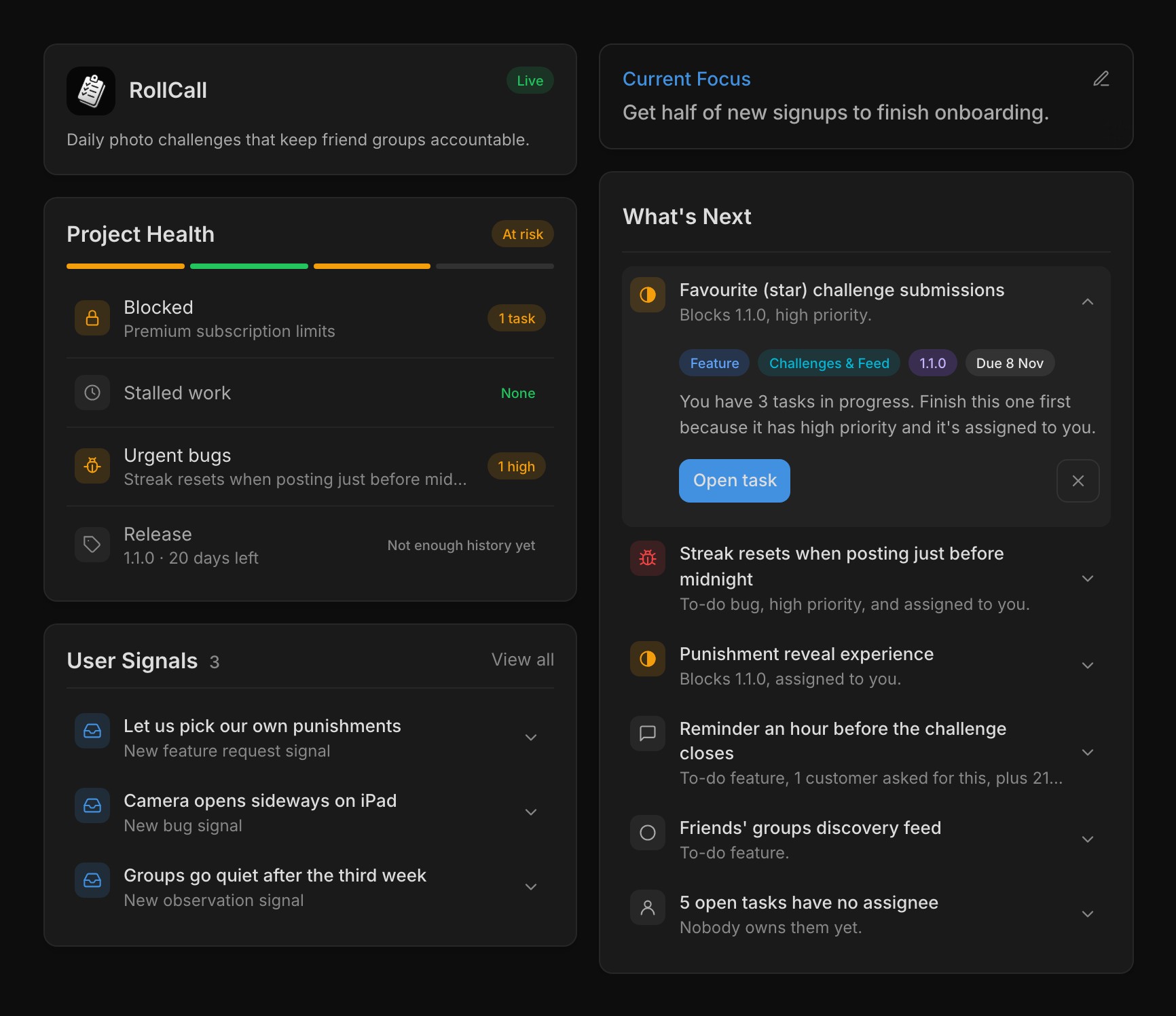
Every project's dashboard has Project Health, which checks your open work for blocked tasks, stalled work, urgent bugs and whether the active release is on pace for its target date. Release pace compares how many tasks a week the release still needs with how many you closed over the last two weeks. Each check is a segment of the bar and a row below it, and a failing row names the task behind it so you can open it straight away.
The tag at the top sums it up as Healthy, At risk, Stagnant or Unhealthy, and hovering it lists every reason. Project Health follows fixed rules and uses no AI credits. Beside it, What's Next ranks up to five open tasks by priority, the active release, due dates and what users have asked for, with work assigned to you and work already in progress ranked higher.
Expand a row to see why it's there, press Start to move it to In Progress, or dismiss it for yourself. At most one piece of advice sits above the list, such as a release that's ready to ship or past its target date, and some offer Ask Frostbyte, which has the Agent look first and change nothing until you say. A connected coding agent gets the same list from the whats_next tool.
Set your product's stage and focus
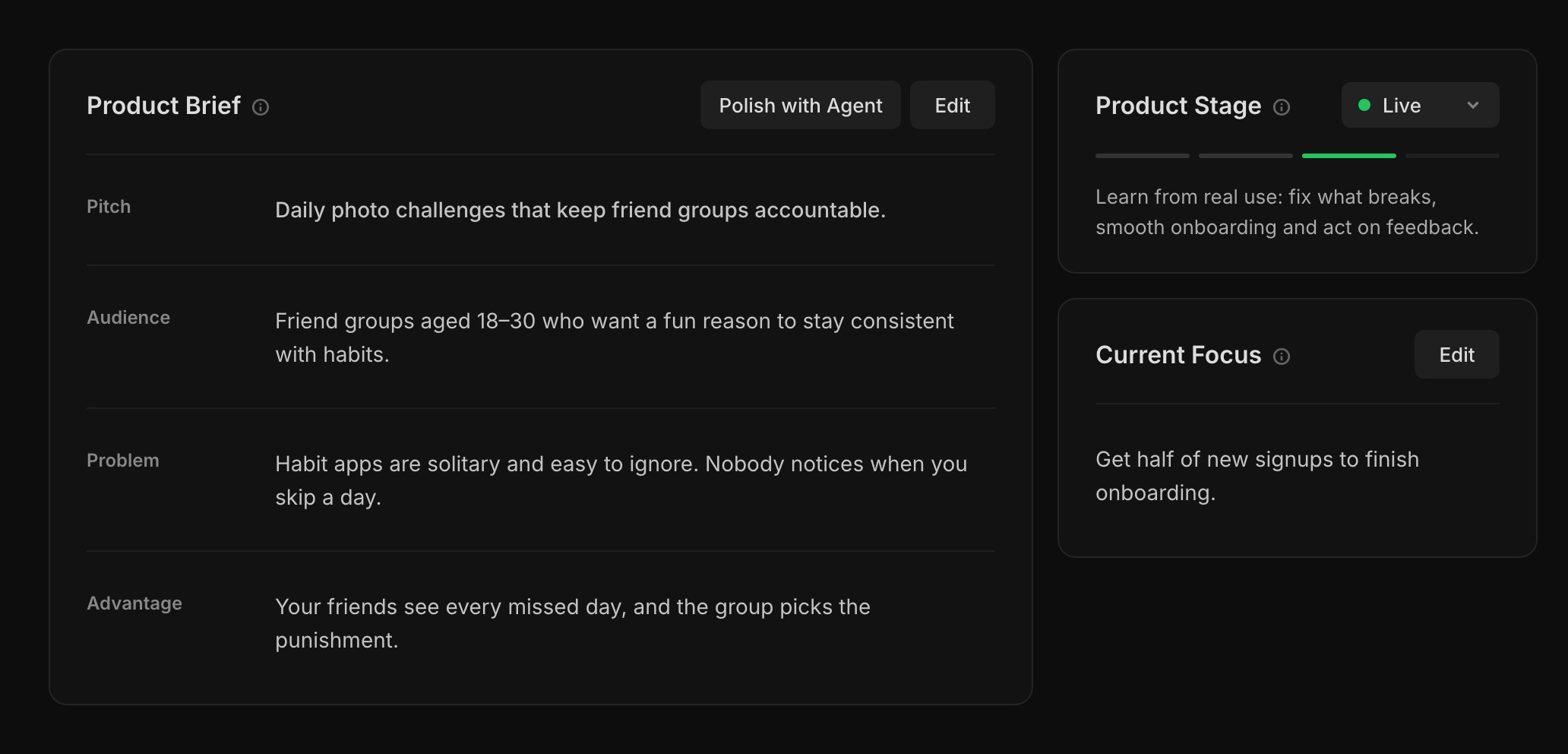
The Product page is a four-line brief you edit in place, covering what you're building, who it's for, the problem it fixes and why your approach wins. Set up with Agent asks a few quick questions and writes it for you. Everyone on the project can read it, and so can the Frostbyte Agent and any agent you connect, before they plan or suggest work.
Pick a stage from Idea, MVP, Live and Growth, and the line under it says what that stage is about. It describes where you're aiming now, so nothing locks and nothing changes it for you. Current Focus is the one goal you're working towards now, such as "Get half of new signups to finish onboarding", and it shows on the dashboard.
The stage shapes the advice you get. At MVP, work already in progress in the active release ranks higher in What's Next, and a release much bigger than you usually ship gets flagged. At Live, bugs and requested work rise. If what you're doing doesn't match the stage, such as shipping releases while set to Idea, the owner gets a hint to move it.
Changelog posts with a headline and cover
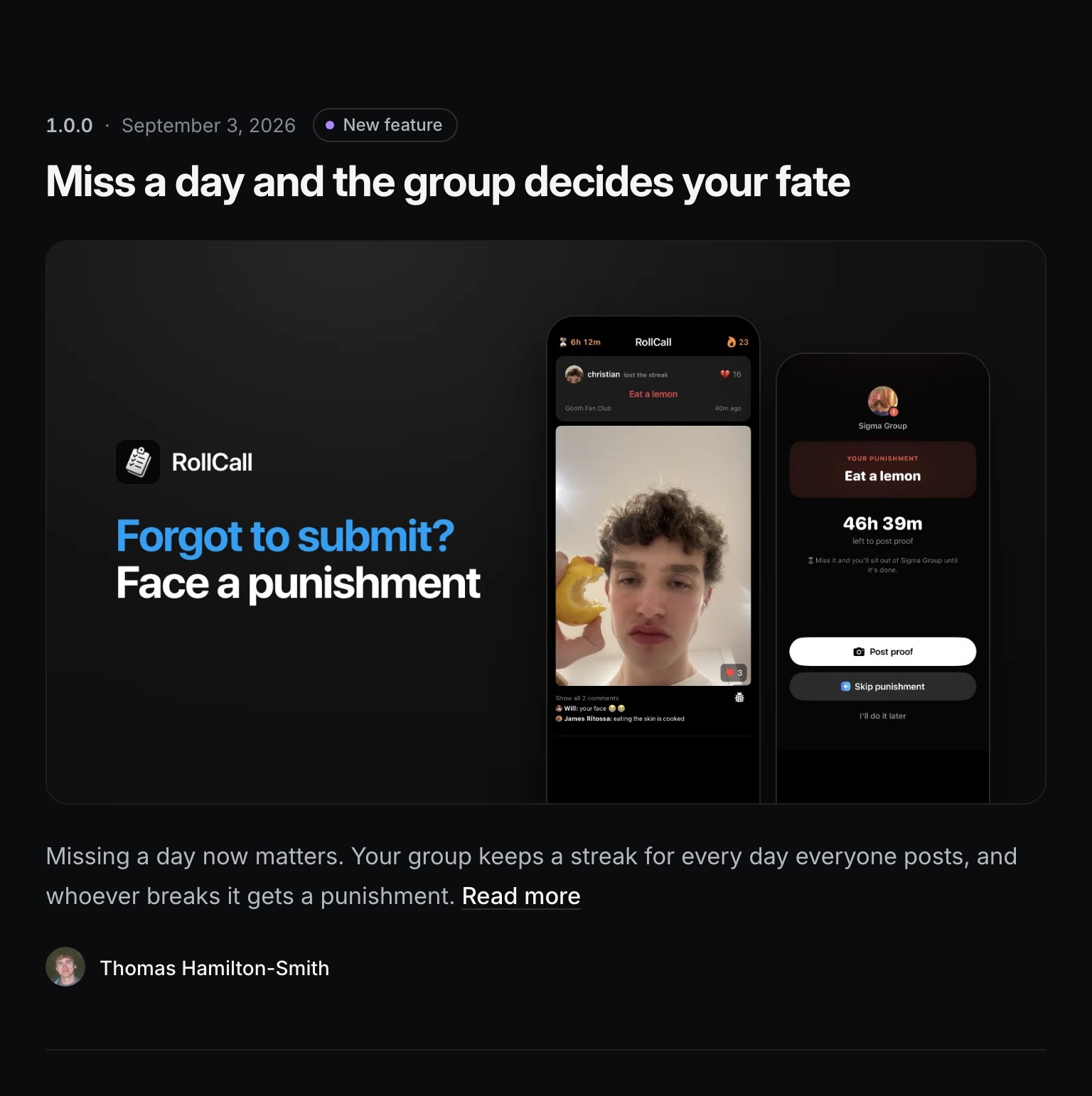
Release notes are posts on your Feedback Portal's changelog. Each one has a headline, an optional cover image, images inside the notes, and your name as the author. A post's own page lists everything in the release, with a Built from your feedback card showing the requests and votes behind it.
Auto generate drafts the headline and notes from the release's Done tasks and the portal requests linked to them. The changelog is on every plan. Covers and images need Indie, and a release can hold up to 10.
The rest of the portal has a new look too, with one composer, a feed beside a sidebar, and request pages that show where each request is up to, such as Planned or Shipped. While the public roadmap is on, a task drafted from a public request starts ticked to appear on it. Untick it in the draft to keep it off.
Connect your agent on Free
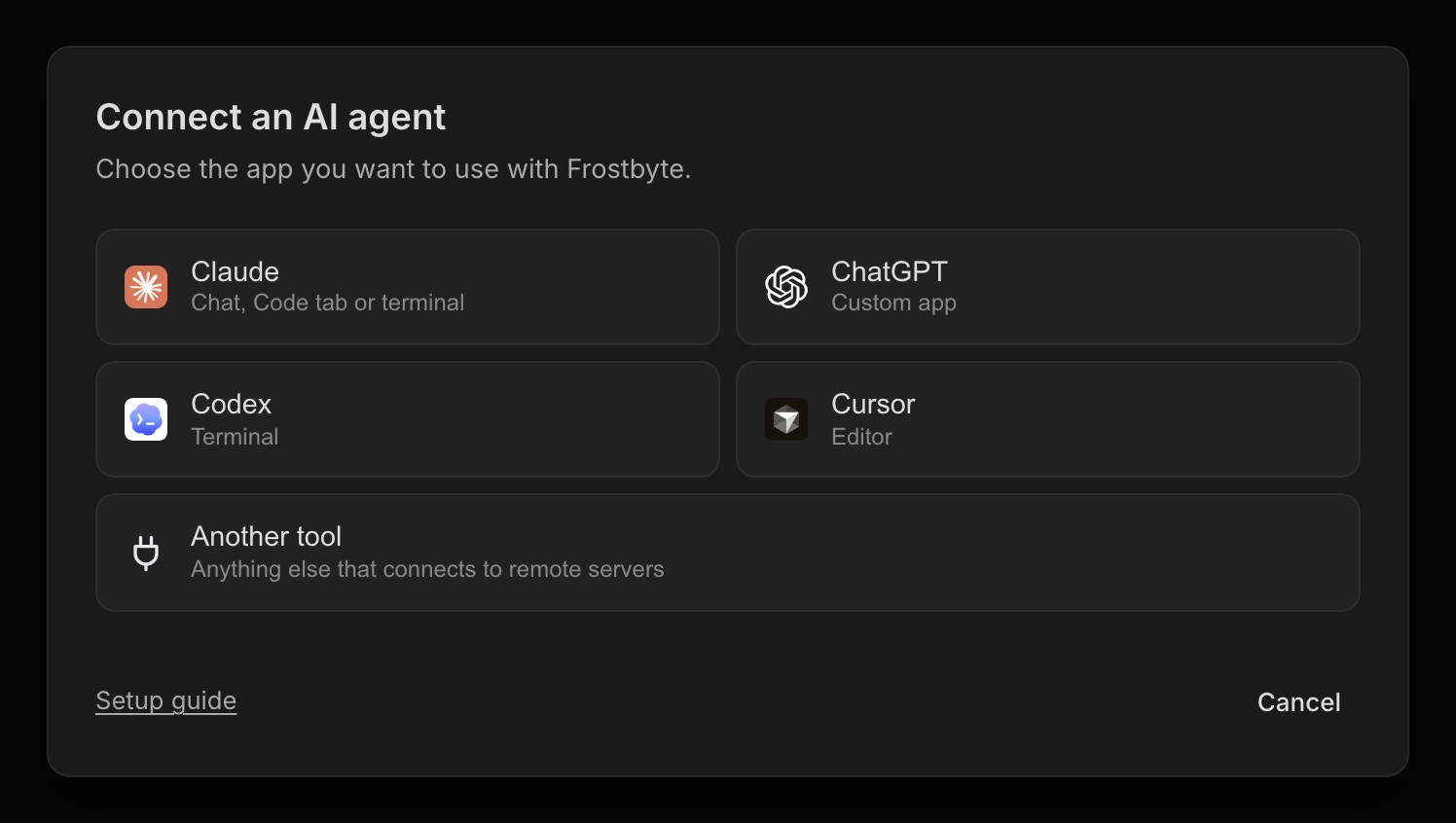
Claude Code, Codex, Cursor, Claude chat and ChatGPT connect to Frostbyte on every plan, Free included. Open Settings → Connections → Connect your agent and follow the steps for your tool.
A Free project also holds three people, you and two others, and there's no limit on areas. Free includes 250 tasks and two open releases.
New features 14
- Project Health checks blocked tasks, stalled work, urgent bugs and release pace Projects
- What's Next on the dashboard, with a reason for each task, Start and personal dismissals Projects
- A Product Brief you edit in place, or have the Agent write Projects
- Product stages that shape What's Next, release advice and agent suggestions Projects
- Current Focus on the Product page and dashboard Projects
- Changelog posts with a headline, cover image and images in the notes Releases
- Built from your feedback on each changelog post Feedback Portal
- A Project settings page, under the ⋯ menu on any project page Settings
- Connect your agent on every plan, Free included Agent
- Delete a signal for good, or hide it from the portal Signals
- The whats_next tool gives connected agents the same ranked list MCP
- Agents take a task number like FB-7 wherever they take a task MCP
- Turn off shipped emails for your portal with Email when requests ship Feedback Portal
- Changelog updates under Settings → Email notifications, for an email when Frostbyte ships a release Emails
Improvements 16
- Free projects hold three people and have no area limit Billing
- A redesigned Feedback Portal with one composer, a sidebar and request statuses Feedback Portal
- Tasks drafted from public requests start on the roadmap while it's on Signals
- Auto generate drafts a headline and opens with why the change matters Releases
- Agents write a release description when it's missing and keep it current Agent
- Shipped emails go out once the release ships, not when a task is done Emails
- Redesigned CSV import, CSV export and PDF export dialogs Projects
- New areas and releases get a colour nothing else in the project uses Areas
- New signups answer a few one-tap questions, then get a shorter checklist Onboarding
- Clearer sign-in errors, and Google or GitHub signup keeps the trial you picked Auth
- Verifying your email moves the waiting tab on by itself Auth
- Unverified accounts get one reminder and are deleted after 27 days Auth
- A failed payment keeps your plan for 14 days while the card is retried Billing
- Downgrades take effect at the end of the period you've paid for Billing
- Trial and payment emails state the amount, card, date and how to cancel Emails
- Archived projects are read-only everywhere, including for agents Projects
Bug fixes 6
- A new email address only takes effect once you've confirmed it Auth
- Feedback Portal subdomains load for Free projects Feedback Portal
- Unarchiving a project brings back its full sidebar and editable fields Projects
- The task modal stays still while it loads, and empty GitHub sections stay hidden Tasks
- Very long names no longer break task, release and area cards Tasks
- Tapping on iPhone no longer flashes a grey highlight Navigation