Blocked Tasks and Identify Users
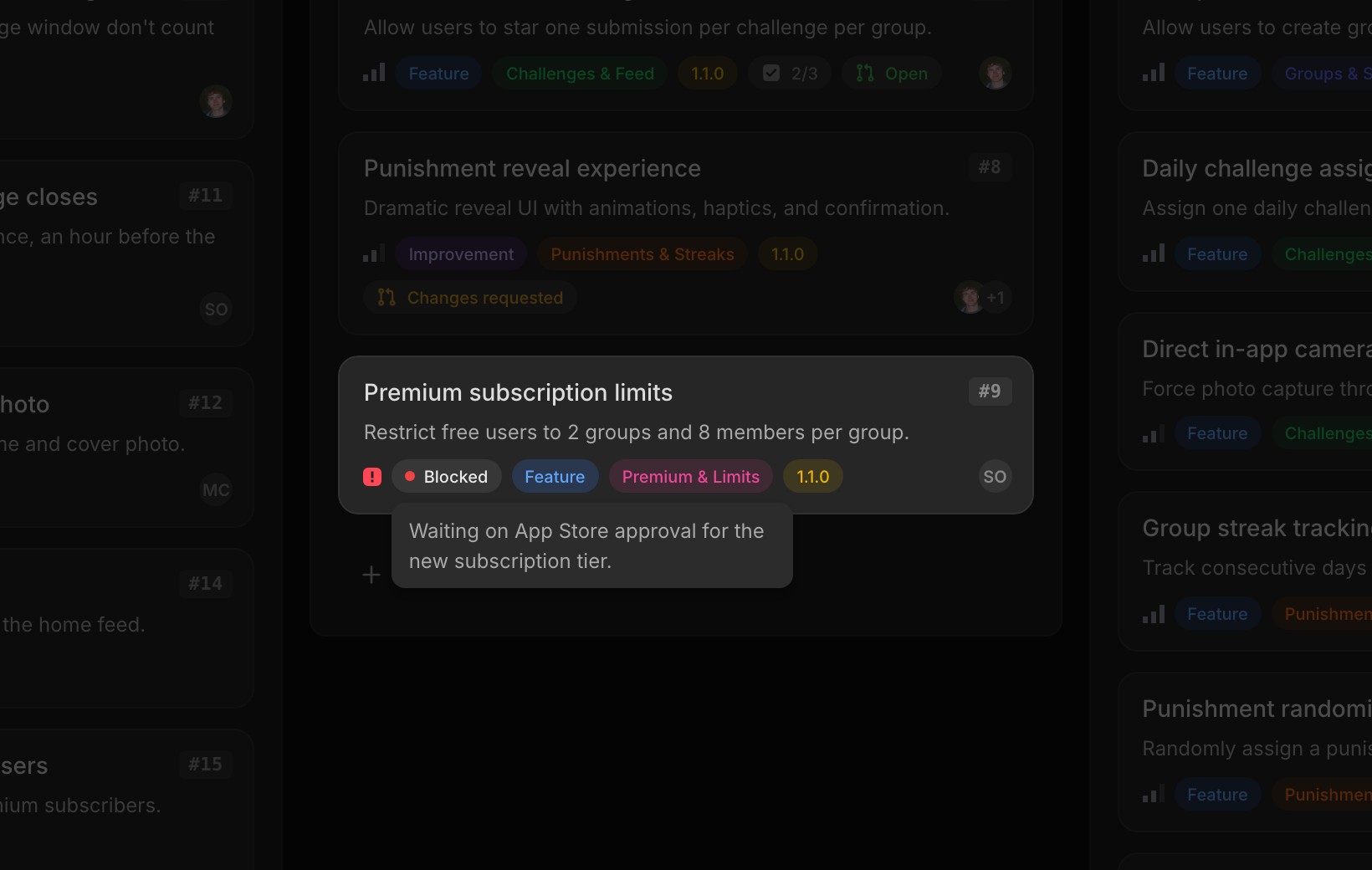
When a task can't go on until something outside it happens, such as an approval, a key or a decision, open it and choose + Blocker beside + Subtasks, or Mark blocked in the ⋯ menu. Write what it needs and press Enter. The reason shows under the title with Unblock beside it, and the card gets a Blocked tag. Hover the tag to read why.
To block several tasks at once, select them and choose More → Mark blocked. The bulk bar is shorter too, with Status, Release and Area up front and everything else under More. A blocker stays while the task moves between To Do and In Progress, and clears when you unblock it, mark it Done or your agent starts it again.
Your agent can block and unblock tasks too. Project Health counts blocked tasks, and What's Next leaves them out while other work is ready.
Send requests from your own app, and see who sent them
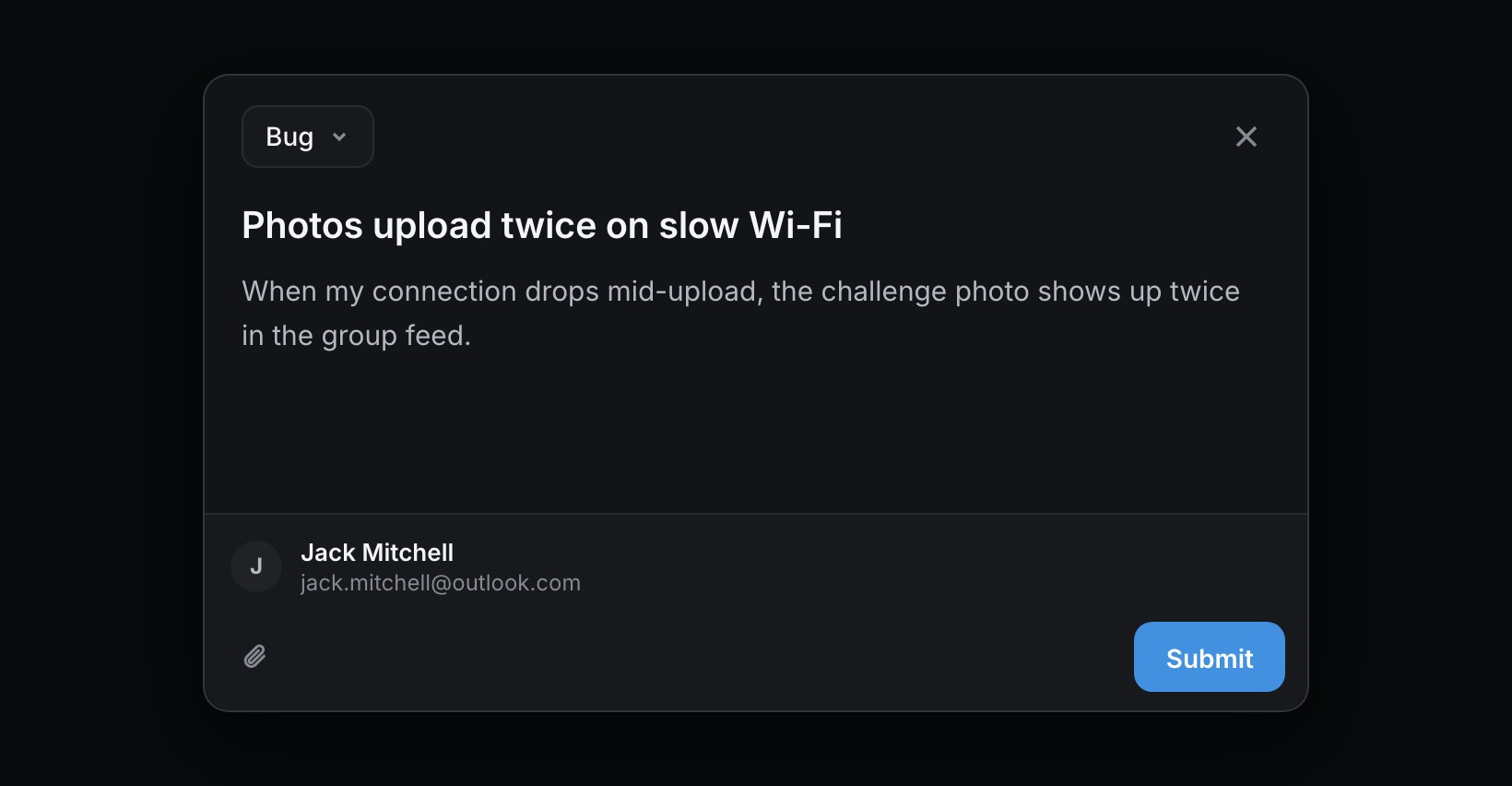
If your app already has a help button or a feedback form, it can send what people write straight into User Signals. In Signals, open Portal settings → Connect, choose Your own form and copy the JavaScript, Swift, curl or Endpoint example. Each one already has your submit URL. Bug reports work on every plan, and feature requests and general feedback need Indie or Studio. Each type has to be on in General.
On Studio, people signed in to your app can post as themselves. Turn on Signed-in users in Connect, then have your server sign their email and name with its secret and pass it to the portal, the widget or your own form. The portal and widget show who they're posting as in place of the email field. The signal arrives with their name and email, so you can reply and they hear when it ships.
Easier changelogs for releases
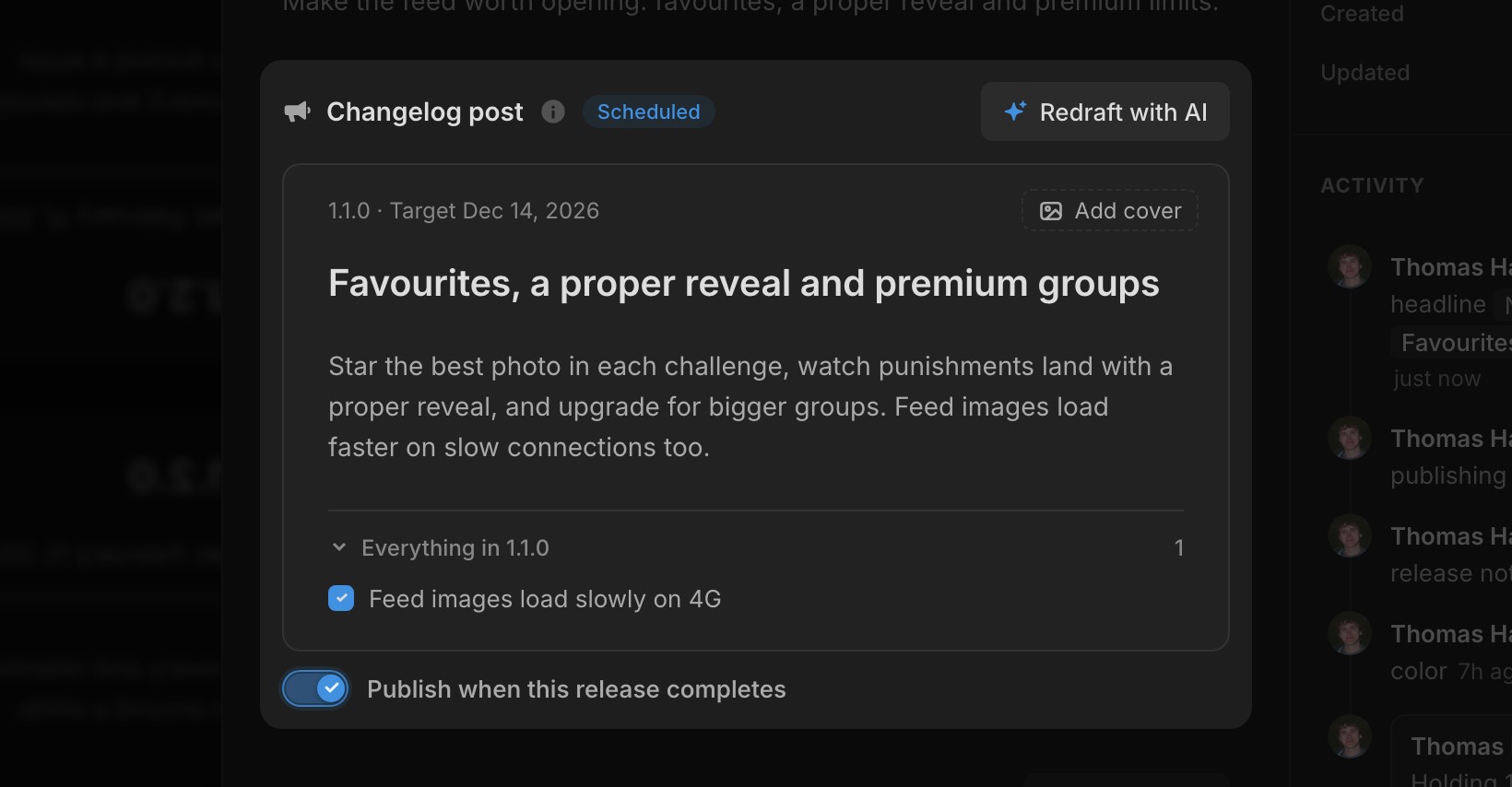
Turn on Publish when this release completes under a release's Changelog post, and the post goes live when you or your agent complete the release. Untick any Done task you'd rather leave off, such as a dependency bump. It also stays out of Built from your feedback, the shipped emails and Draft with AI.
People who send a request through your portal, widget or your own app and leave an email hear from you when its task ships. Closing a linked GitHub milestone now sends those emails too, as completing the release in Frostbyte does. It doesn't publish the changelog post.
New features 11
- Mark a task blocked with a reason, from the task or the bulk bar Tasks
- Filter tasks to the blocked ones Tasks
- Send requests into Signals from your own app or form with the submit URL Signals
- Set up a new project in one chat from the Agent panel Agent
- Untick Done tasks to leave them off a changelog post Releases
- Publish a changelog post automatically when its release completes Releases
- Comments on releases and areas Releases
- Open in Tasks on releases and areas Releases
- A portal tagline of up to 80 characters under your project name Feedback Portal
- Turn on Signed-in users so people signed in to your app post as themselves from the portal, widget or your own form, on Studio Feedback Portal
- The feedback widget comes with Indie as well as Studio Feedback Portal
Improvements 26
- Agent suggestions follow the page you're on Agent
- The bulk bar shows Status, Release and Area, with the rest under More Tasks
- The release filter on Tasks has room for completed releases when you expand them Tasks
- Selected cards on the board are marked by colour, without a checkbox Tasks
- Releases and areas group their tasks into In Progress, To Do and Done, like the Tasks list Releases
- Drag a task onto another status in a release or area to move it Releases
- A release's changelog post is laid out like the post your users read Releases
- Release and area activity names the field that changed Releases
- Release and area edits show in Activity as soon as you save Releases
- A save that changes nothing no longer adds a line to Activity Releases
- The Appearance tab previews your real portal as you change it Feedback Portal
- Customise on your own portal opens Appearance, and Settings is now Portal settings Feedback Portal
- The Embed tab in Portal settings is now Connect Feedback Portal
- Connect has one choice, the feedback widget or your own form, and shows only that one's settings Feedback Portal
- Signal cards show the submitter's picture when your app sends one Signals
- User Signals is on for every new project, Idea stage included Signals
- Claude Desktop's Code tab connects through the connector, with the plugin optional Onboarding
- Repo setup brings over open work only and asks before going over the task limit Onboarding
- The phone notice offers Email me the setup link Onboarding
- A failed save shows a short message that names what failed, instead of an Error dialog Projects
- Confirm dialogs name the item and say what happens to related work Projects
- Hover a cut-off task title to read it in full Tasks
- task_clear_blocker clears a blocker without changing the task's status MCP
- whats_next_dismiss and whats_next_restore work on setup rows MCP
- get_release returns comments, and update_release sets which tasks the post shows MCP
- feedback_hub_get gives the portal's submit URL and whether Signed-in users is on MCP
Bug fixes 7
- The release modal header and dashboard focus card fit on narrow screens Releases
- Error messages show above an open dialog Projects
- The pricing dialog opens on top of an open dialog Billing
- Task numbers in the Tasks list line up Tasks
- Done tasks no longer keep an old blocker Tasks
- Show more on User Signals matches the other buttons Signals
- Closing a GitHub milestone sends the shipped emails, as completing the release does Emails